Your Pocket Website
Your Business In Every Pocket
No coding. No laptop needed. No website headache anymore.
Create your own smart pocket website directly from your phone in just
2 minutes ⚡
Publish instantly.
Share everywhere.
Update anytime.
Pocket Websites in Action
Explore a variety of businesses and portfolios built using Futkar’s website system.
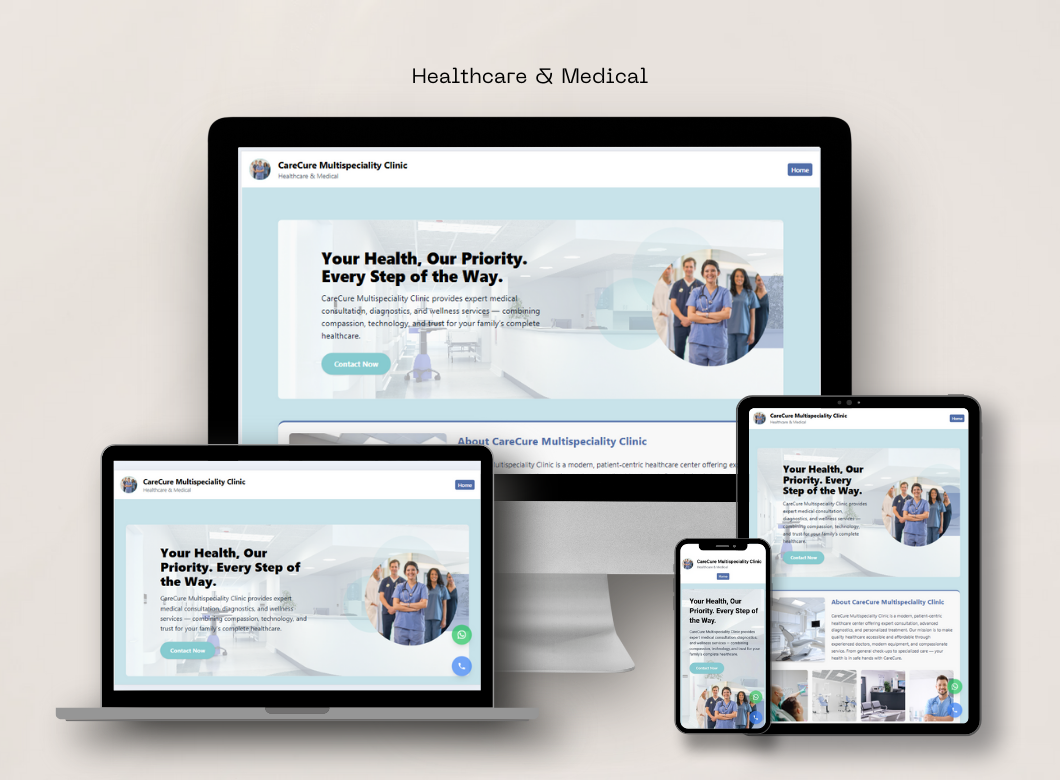
CareCure Clinic
Healthcare Website
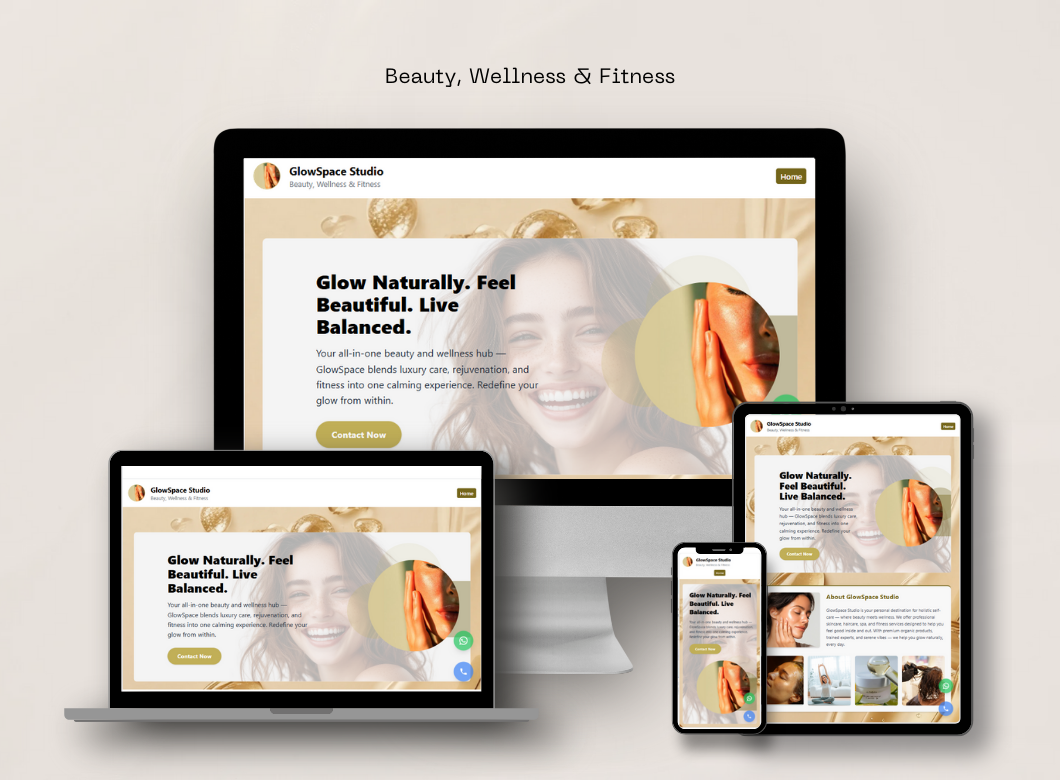
GlowSpace
Beauty & Wellness Website
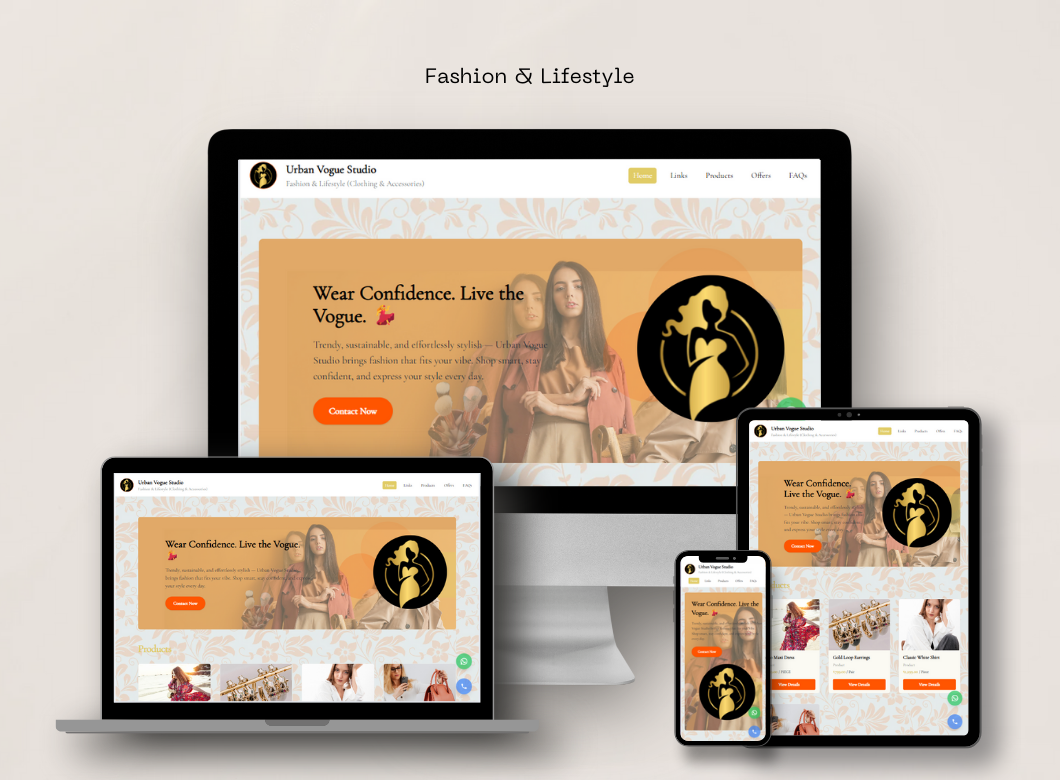
Urban Vogue
Fashion Boutique Website
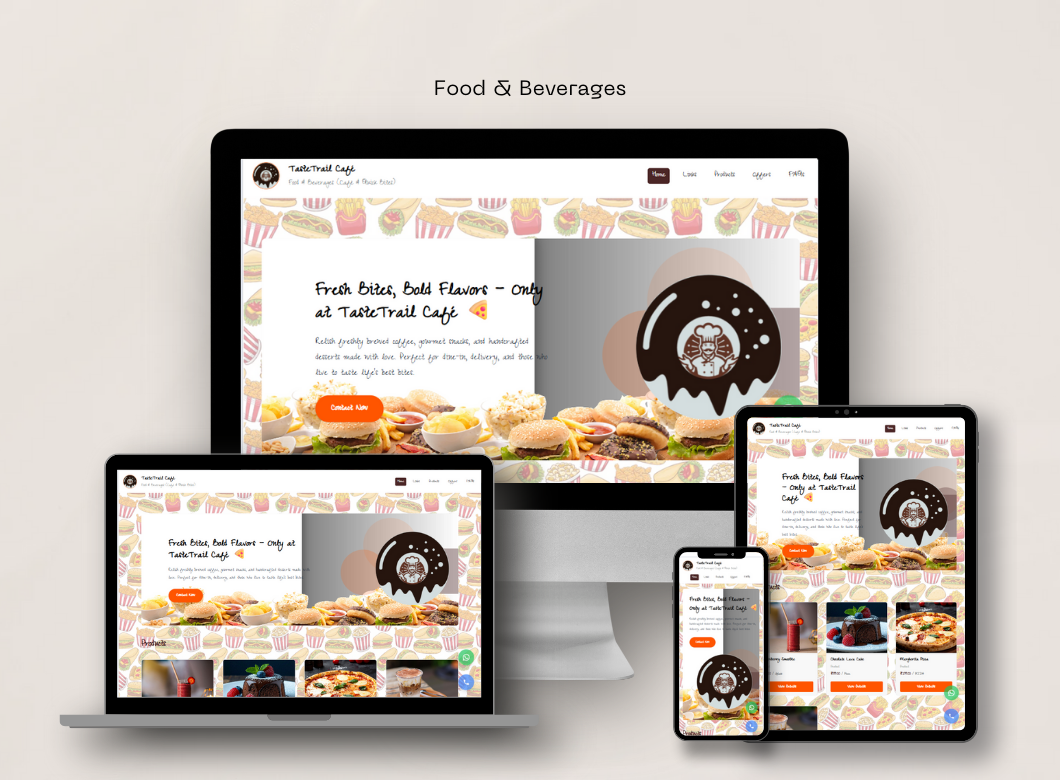
Taste Trail Cafe
Restaurant Website
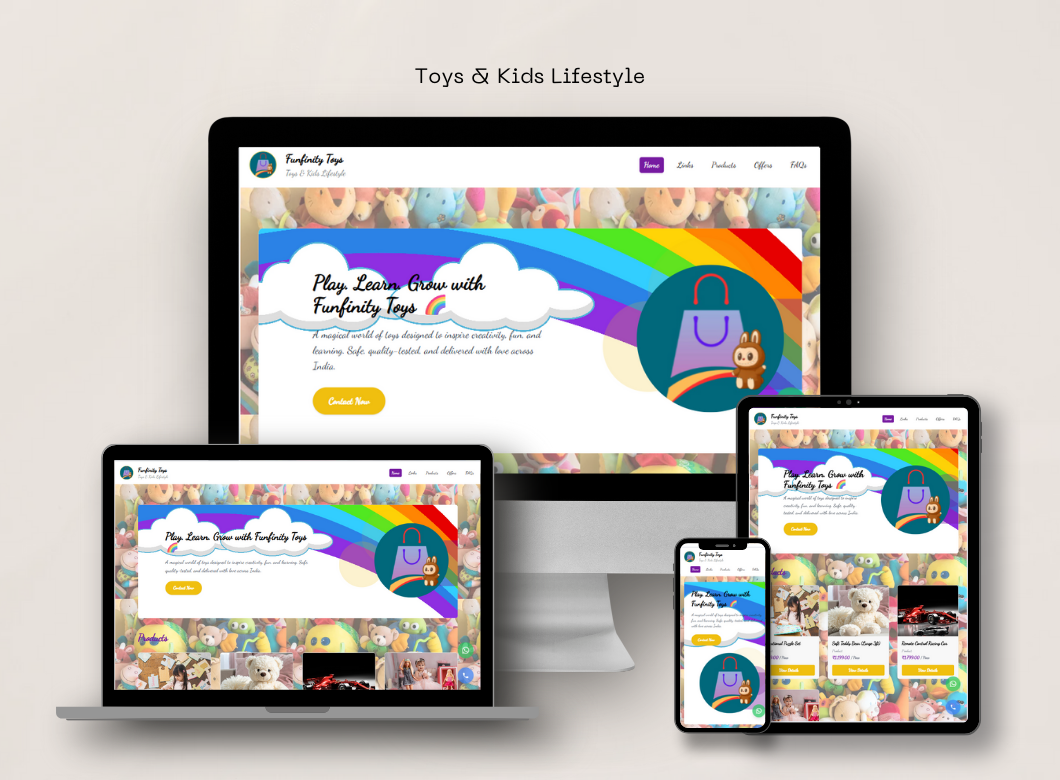
Funfinity Toys
E-commerce Toy Shop
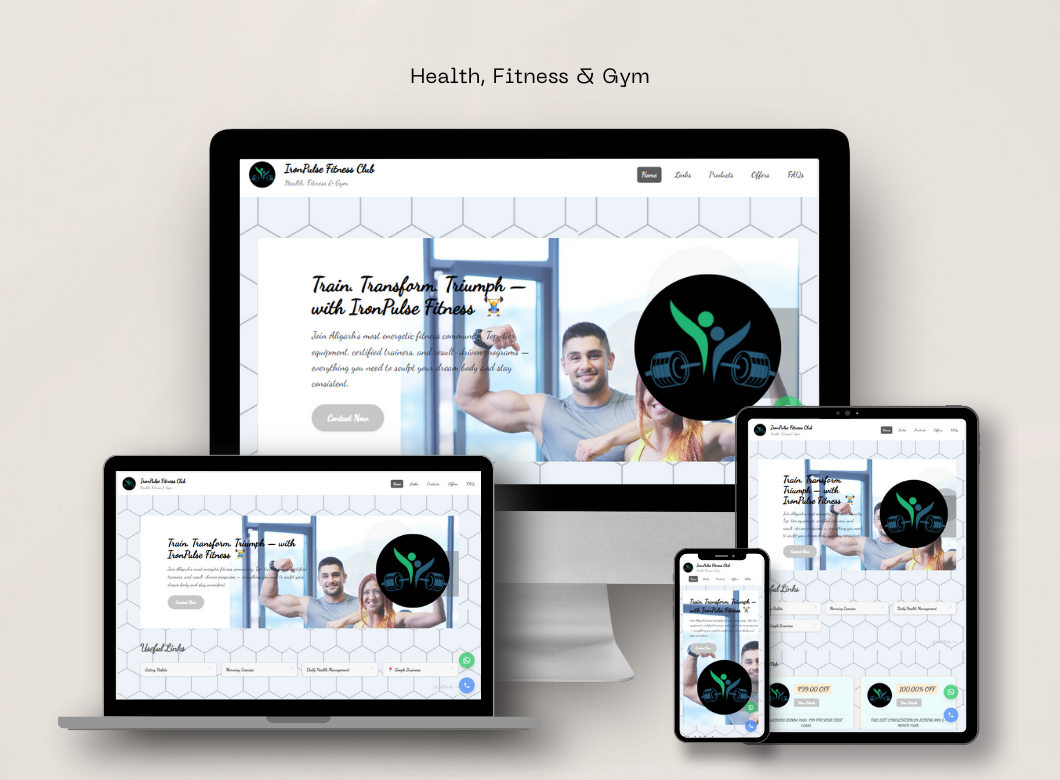
Iron Pulse Fitness
Gym & Fitness Website
One Smart Link That Does Everything 💡
Imagine sending just ONE link… and your customer gets everything about your business instantly.
Direct Calling
Customers can instantly call you directly from your pocket website.
WhatsApp Connect
One tap WhatsApp chat for fast customer communication.
Location Access
Let customers open your business location instantly.
Products & Services
Show products, services and pricing professionally.
Offers & Deals
Add offers, discounts and promotions anytime instantly.
Notices & Updates
Display important notices and updates professionally.
Lead Management
Collect customer enquiries and leads directly.
Payments
Accept UPI & QR payments directly from customers.
Reviews
Build trust using customer testimonials and reviews.
Manage Everything Directly From Your Phone 📱
Change number, services and pricing anytime.
Add new products, offers and notices instantly.
Upload photos, videos and payment QR anytime.
Manage customer leads directly from mobile.
No coding, no developers and no technical headache.
Everything can be updated anytime from your phone.
Before ❌
Customers repeatedly ask for details, services, pricing, social media links and location.
After 🚀
One premium smart pocket website handles everything professionally within seconds.
Perfect For Every Profession 🌍
Pocket Website works for every growing business and professional.
Lawyers
Share profile, services and appointment details professionally.
Cafes
Display menu, offers and customer reviews beautifully.
Doctors
Patients can book appointments and connect instantly.
Designers
Showcase portfolio and services professionally online.
Photographers
Display galleries, packages and booking details easily.
Businesses
Create a premium digital identity within minutes.
Your Pocket Website =
Your Digital Identity ❤️
Build trust. Increase reach. Get more leads. Look professional.
Create. Customize. Publish. Share.
All directly from your phone 📱
How FUTKAR Works
A Complete Step-by-Step Guide to Build, Publish, and Grow Your Business Online
FUTKAR simplifies the entire journey of taking a business online — from first login to publishing a live business link and managing customer enquiries.
Login or Register on FUTKAR
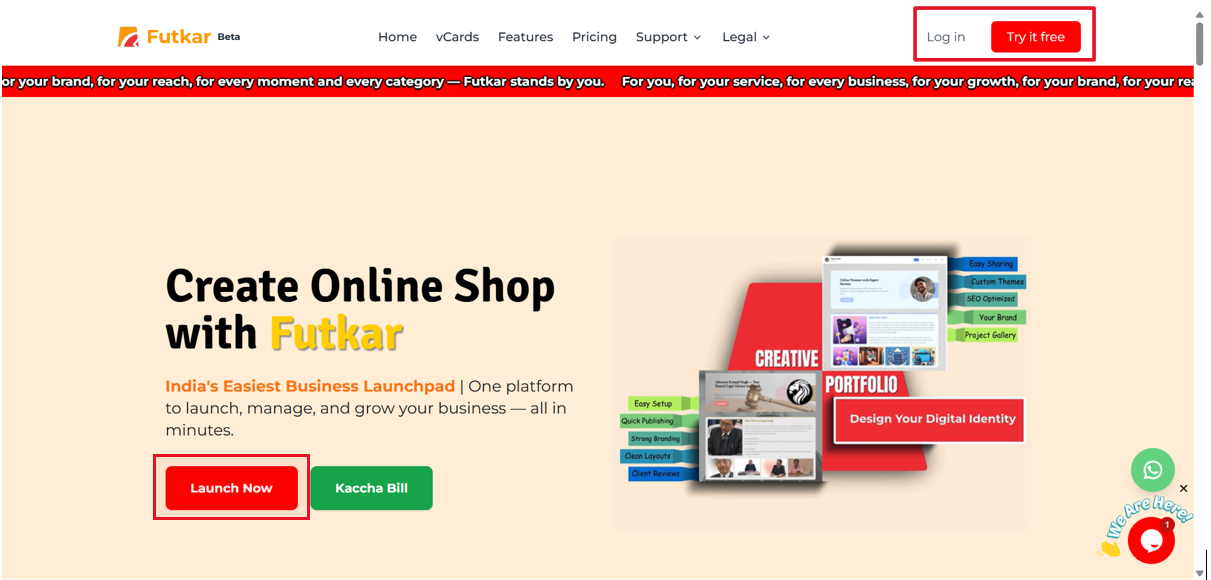
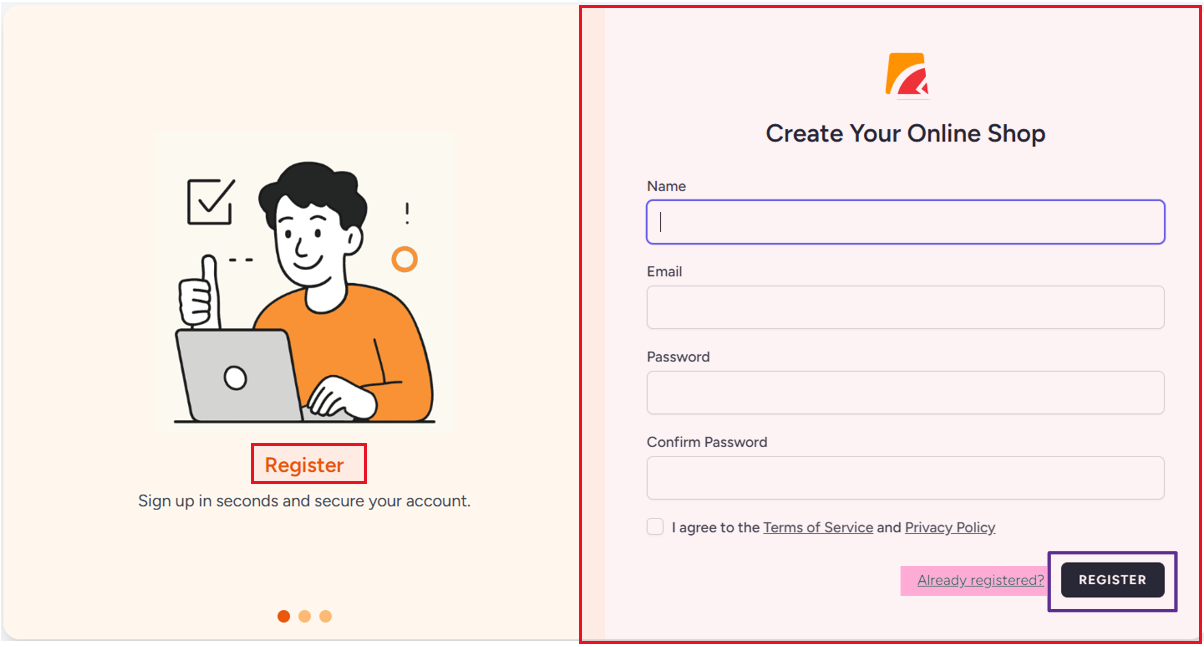
Creating a New Account
If you are using FUTKAR for the first time, you begin by registering your account.
This step creates your personal FUTKAR workspace where all your businesses, settings, and data will be managed.
Registration is simple and requires only essential information so you can start quickly without technical complexity.
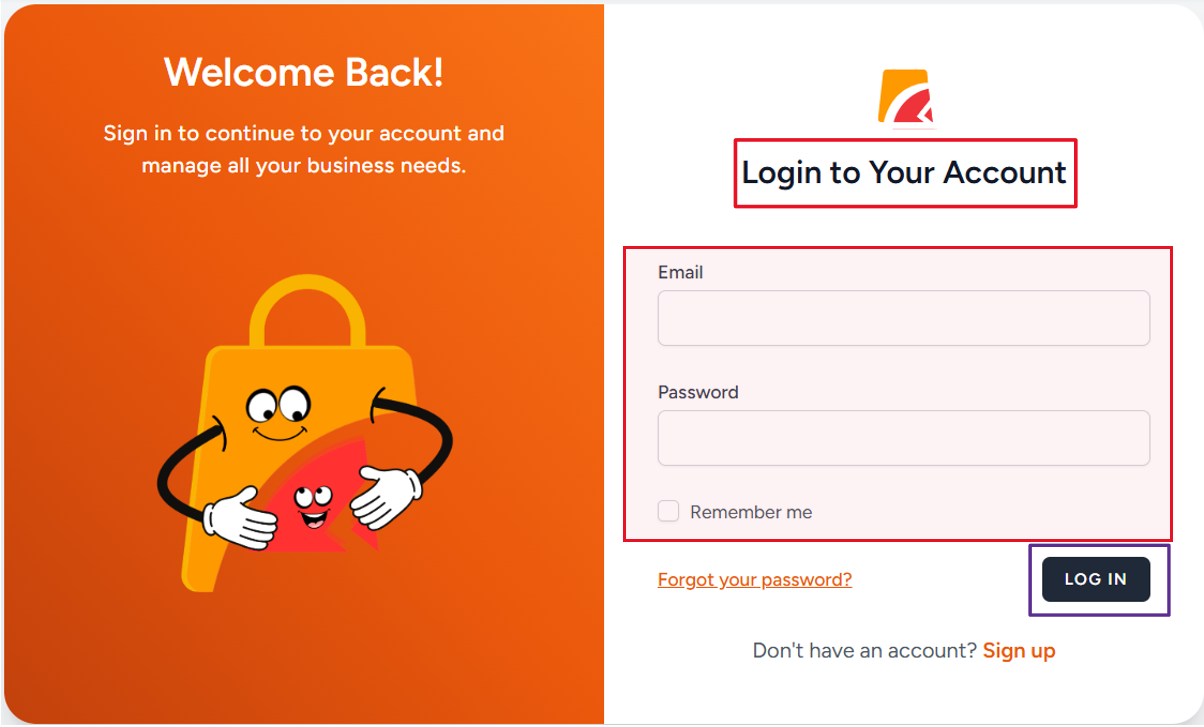
Logging Into an Existing Account
If you already have an account, logging in takes you directly to your dashboard, allowing you to continue managing your business without repeating any setup steps.
- Fast mobile login access
- Secure account management
- Instant dashboard access
- Business data stays connected
Enter the Dashboard
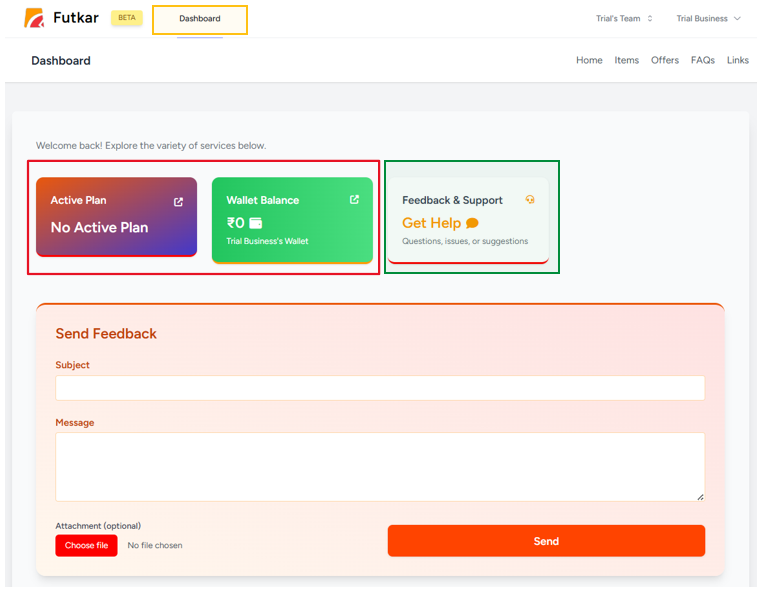
What the Dashboard Represents
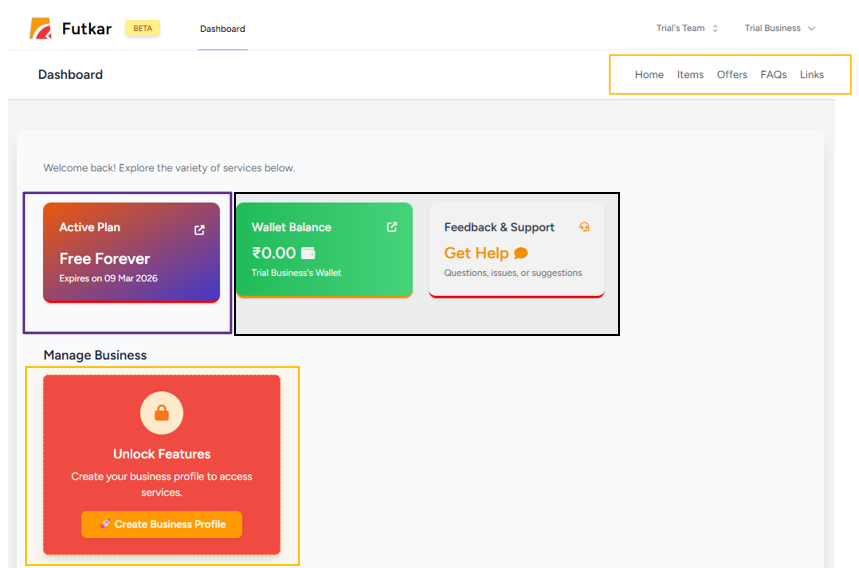
The dashboard is the central control panel of FUTKAR.
It gives you a complete overview of your account, business status, plans, wallet, leads, and future actions.
What You Notice First
- Whether a plan is active or not
- How much money you have in wallet
- Feedback and support options
- Business activation status
- Recommended next actions
This removes confusion and guides new users instantly, making the onboarding process smoother.
Active Plan Verification
When a Plan Is Already Active
If your account already has an active plan, you can immediately access business features and continue setting up or managing your shop.
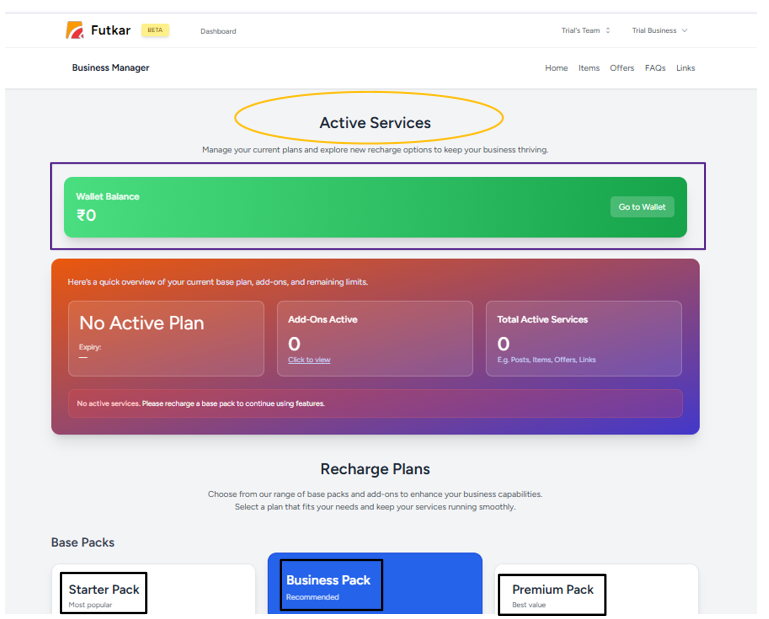
When No Plan Is Active
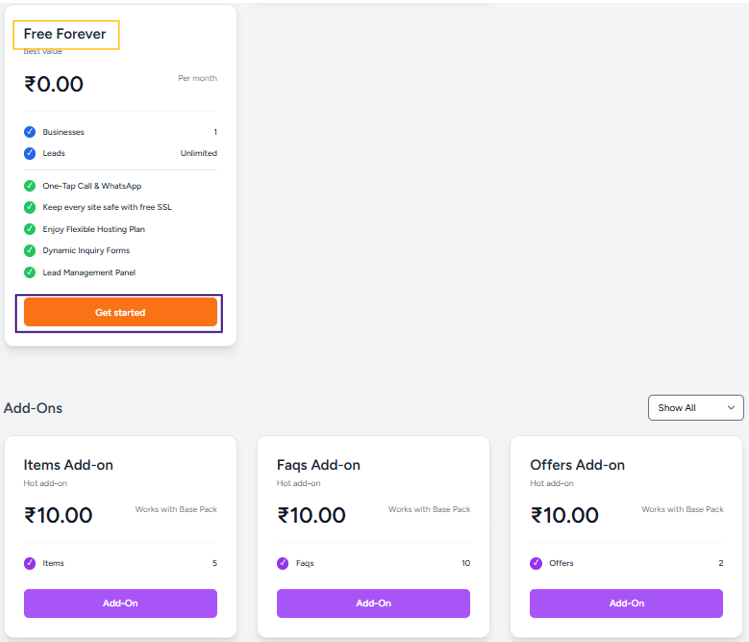
If no plan is active, FUTKAR gives you flexible options so businesses can still explore the platform.
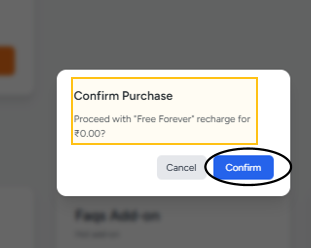
- Start with free or limited access
- Recharge your wallet and activate a plan
- Explore features before upgrading
- Choose plans according to business needs
This ensures users can experience the platform without pressure or complicated commitments.
Home Screen Overview
Purpose of the Home Screen
The Home screen works as a progress checkpoint.
It summarizes your current setup and shows where you stand in the business creation journey.
Information Displayed
- Business lock/unlock status
- Active business status
- Quick navigation actions
- Profile completion progress
- Important shortcuts
This screen always points you in the right direction and simplifies navigation for all users.
Unlock Your Business
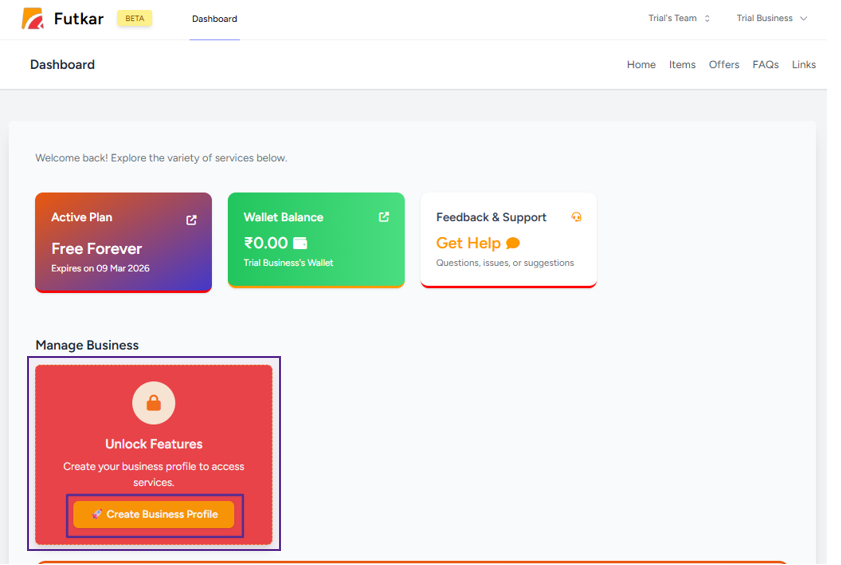
What "Unlock Business" Means
Unlocking your business enables editing, customization, advanced tools, and publishing features.
Until this step is completed:
- Business details cannot be modified
- Shop customization remains restricted
- Publishing controls stay disabled
- Premium sections remain locked
Why This Step Is Important
This step ensures that only confirmed businesses move forward into customization, publishing, and customer-facing visibility.
Save and Confirm Business Access
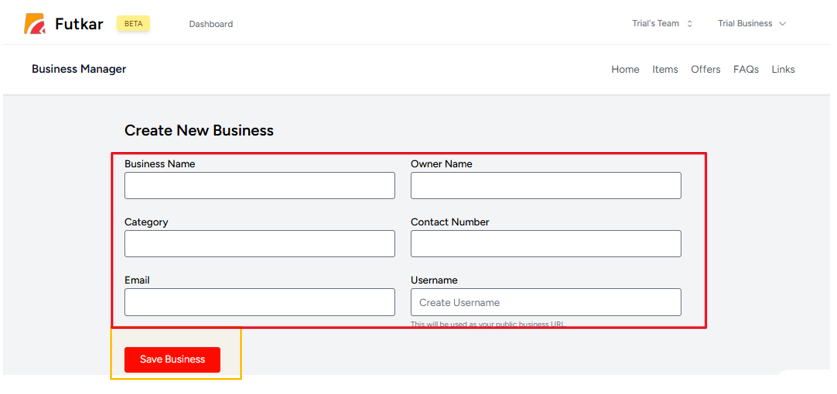
Saving the Unlock Action
After unlocking, saving the action confirms your access across the entire FUTKAR platform.
What Happens After Saving
- Your business becomes fully editable
- All customization options open
- You gain access to advanced features
- Publishing permissions activate
- Business setup becomes permanent
This step officially activates your business inside FUTKAR.
Edit Business Information
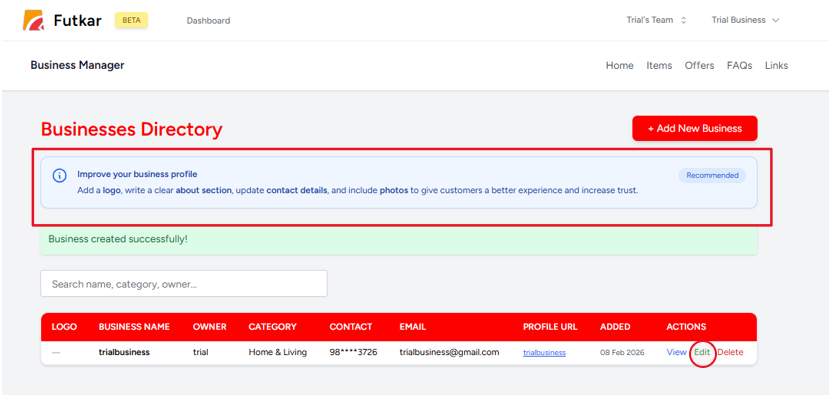
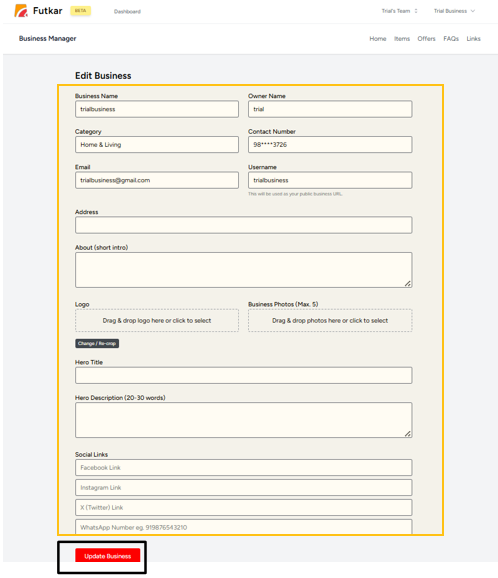
Basic Business Details
At this stage, you can edit and update all important business information.
- Business name
- Business category
- Phone and contact information
- Email and location details
Branding and Identity Setup
- Business logo
- Business images
- Clear business description
- Professional branding appearance
These details define how your business is presented to customers online.
Saving Business Changes
Once saved, these details become the foundation of your public business profile and shop.
Start Shop Customization
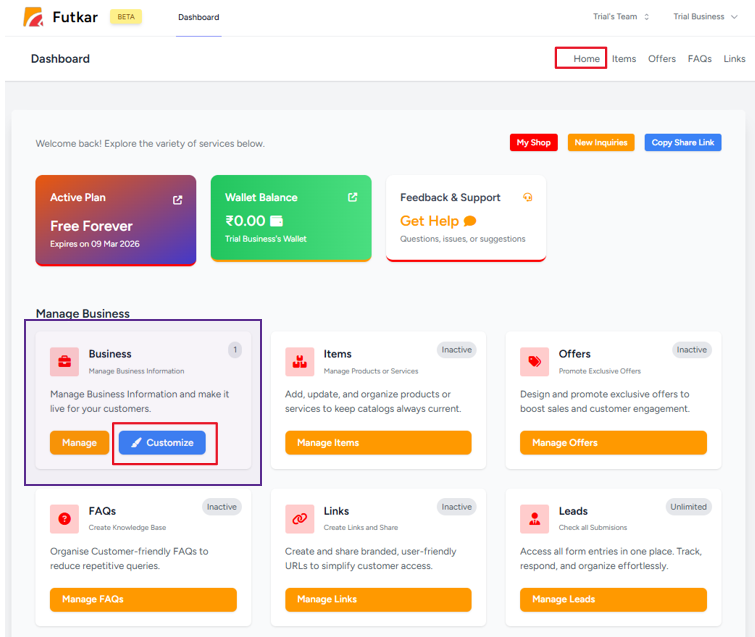
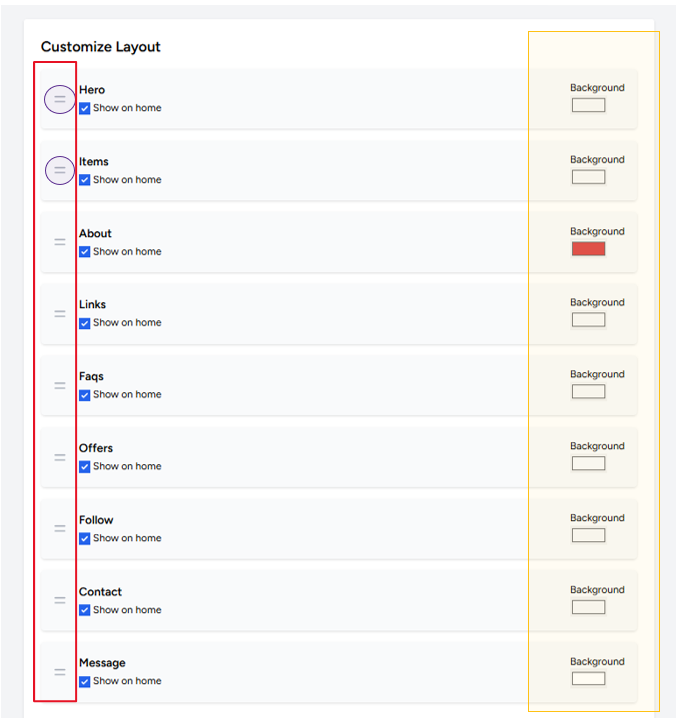
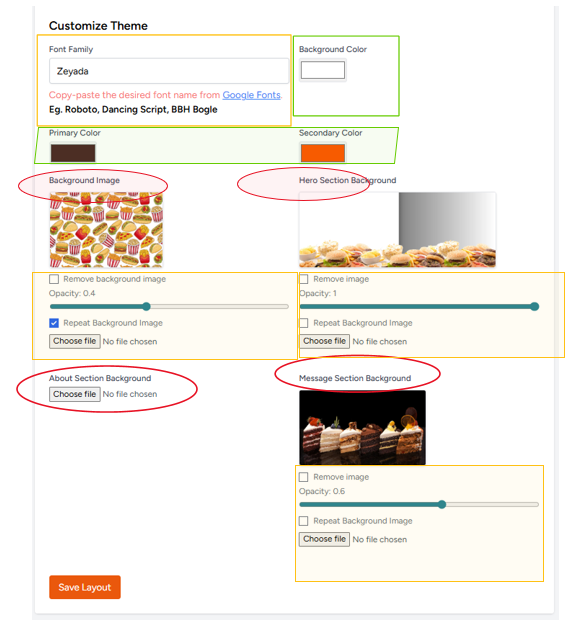
What Shop Customization Controls
Customization allows you to shape how your shop appears and functions for visitors.
Premium feature or take an add-on by visiting Plans and Wallet section.
- Content structure
- Fonts and typography
- Theme and layouts
- Opacity and backgrounds
- Visual presentation style
- Professional storefront appearance
Customization only becomes available after the business is unlocked and saved successfully.
Add Items (Products or Services)
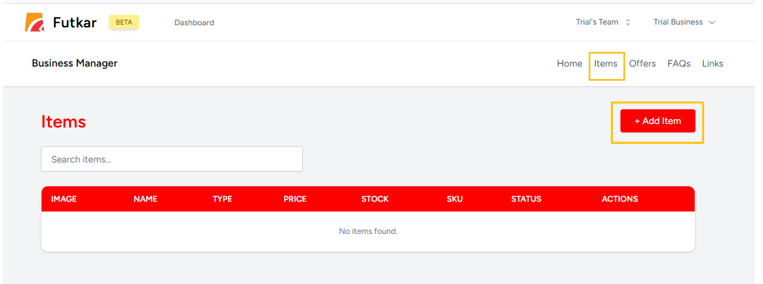
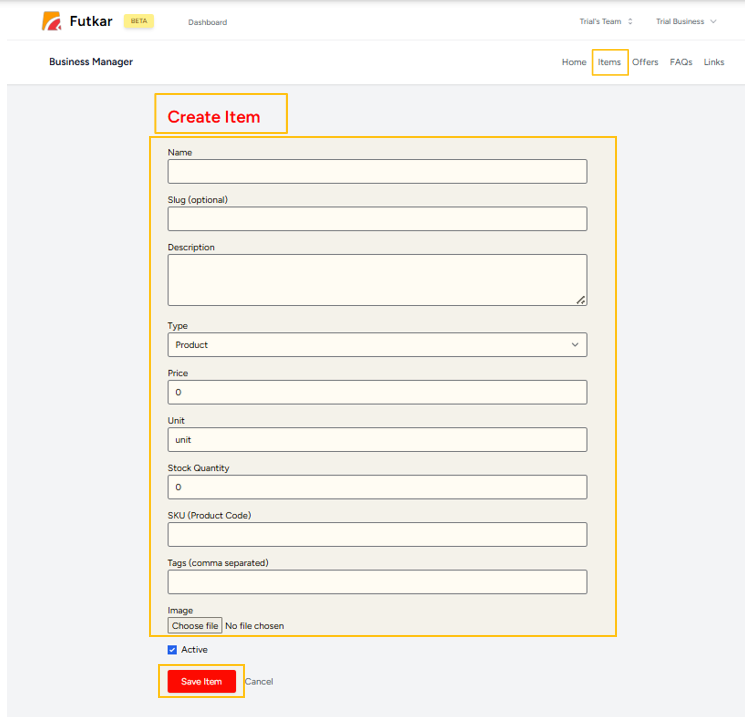
Understanding Items
Items represent the products or services your business offers.
This section becomes the main showcase of your digital shop.
Why Items Matter
Adding items helps customers quickly understand:
- What you sell
- What services you provide
- Your pricing and offerings
- Whether your business fits their needs
Clear items improve customer engagement, enquiries, and purchasing confidence.
Create and Manage Offers
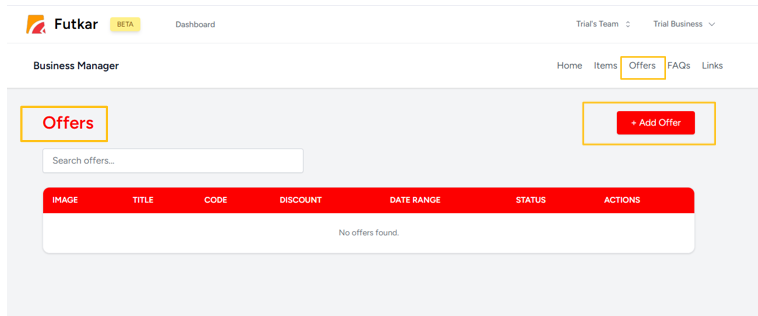
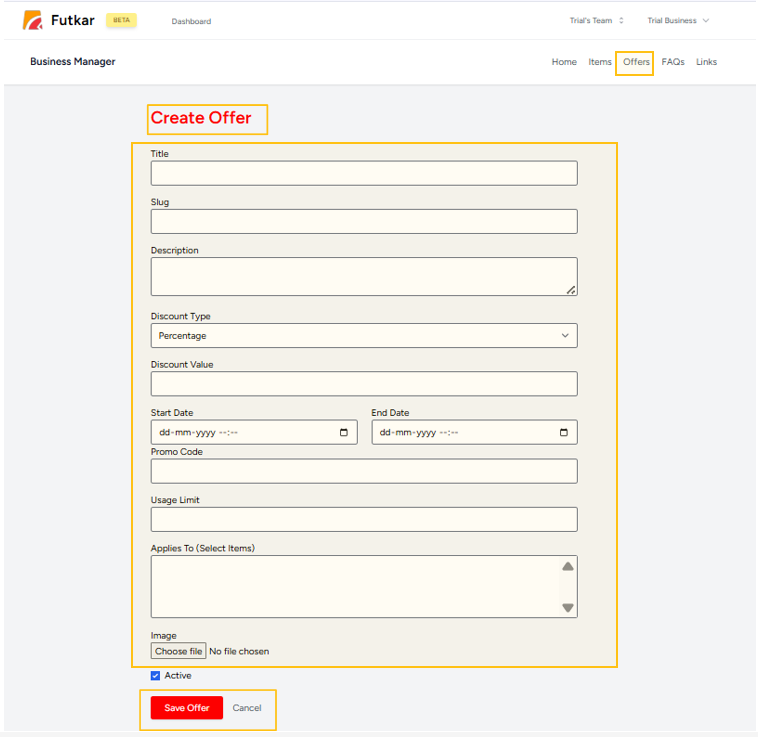
Purpose of Offers
Offers are used to highlight:
- Discounts
- Promotions
- Festival campaigns
- Limited-time deals
- Special business announcements
Impact on Customers
Offers attract customer attention, improve engagement, and encourage faster action.
Businesses can continuously update offers to keep their shop active and attractive.
Add Important Business Links
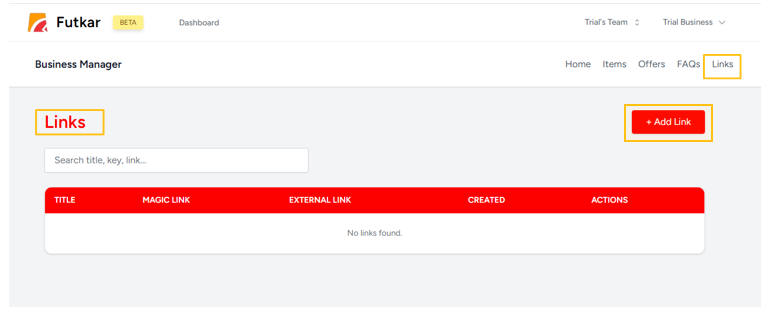
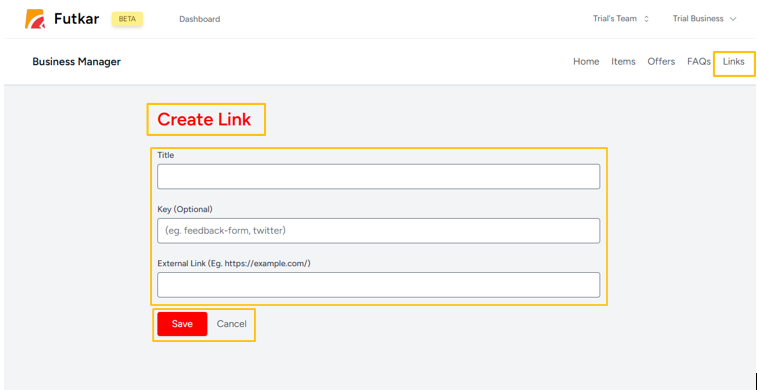
Types of Links You Can Add
FUTKAR allows businesses to connect all important platforms in one place.
- WhatsApp chat links
- Google Maps location
- Instagram and Facebook profiles
- YouTube or website links
- Other business contact links
Why Links Are Important
Links make it easy for customers to connect with your business instantly without searching manually.
Add FAQs
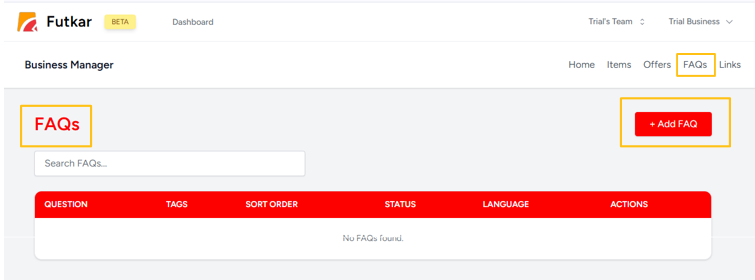
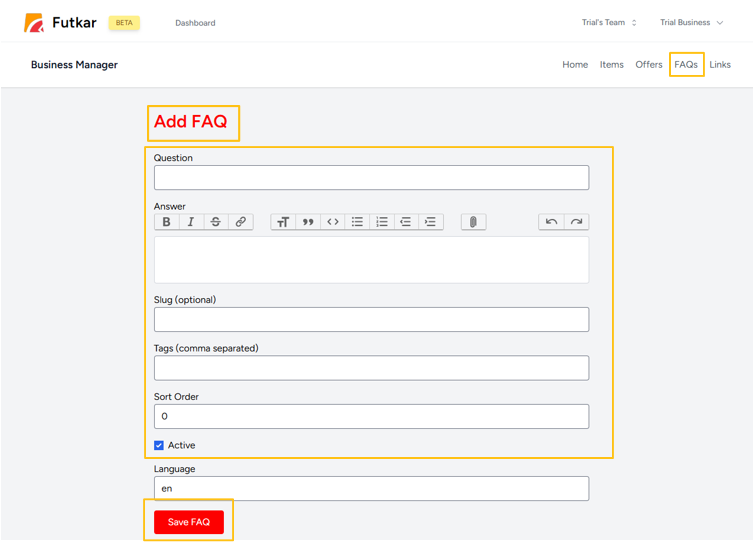
Role of FAQs
FAQs answer common customer questions before customers even contact you.
Benefits of FAQs
- Saves time for business and customer
- Improves trust and transparency
- Makes your shop look professional
- Reduces repeated customer queries
- Improves customer understanding
A good FAQ section improves overall customer experience.
Review and Finalize Customization
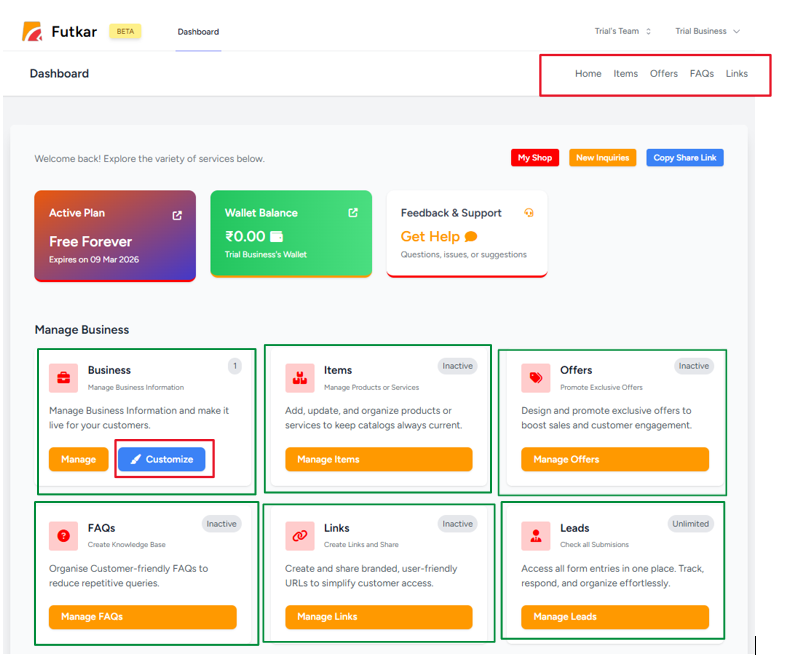
Final Quality Check
Before sharing your shop publicly, review everything carefully.
- Items and services
- Offers and promotions
- Business links
- FAQs section
- Business profile details
- Fonts and visual styles
- Theme and layout structure
This ensures your shop is complete, professional, and customer-ready before publishing.
Main Action Buttons Explained
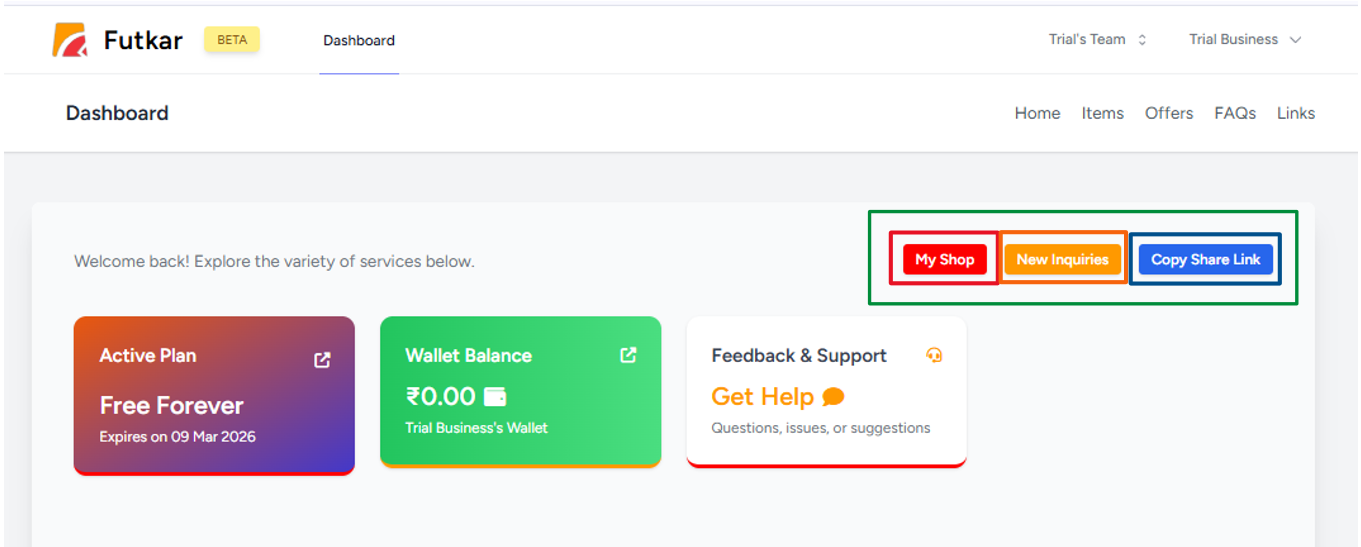
My Shop – View Your Live Website
The My Shop button opens your published live shop exactly as customers see it. This helps you review the final output before promotion and sharing.
Leads – Manage Customer Enquiries
The Leads section becomes your enquiry management system.
- All customer queries
- Contact details
- Follow-up opportunities
- Potential customer conversions
Copy Link – Share Instantly
The Copy Link button copies your shop URL instantly, ready to be shared anywhere online.
Your Business Journey Continues After Publishing
FUTKAR helps businesses stay active online, attract customers, manage enquiries, and continuously grow.
Share Your Shop Everywhere
Your FUTKAR business link can be promoted across every platform.
Update Your Shop Anytime
- Add products and services
- Update offers and pricing
- Edit FAQs and details
- Keep your shop fresh and active
Manage Leads & Customers
- Track customer enquiries
- Respond directly to leads
- Convert visitors into customers
- Build relationships
Daily Business Workflow
After your shop is live, repeat these steps every day to stay active, respond to customers, and grow your reach.
-
Login
Open your dashboard and review shop activity
-
Check Leads
See new enquiries and follow up quickly
-
Update Offers
Refresh products, prices, and promotions
-
Share Shop Link
Post your link on WhatsApp, social media, and more
-
Grow Reach
Keep sharing consistently to attract new customers
What FUTKAR Ultimately Gives You
FUTKAR helps businesses activate, customize, publish, share, and grow their digital presence without technical complexity.