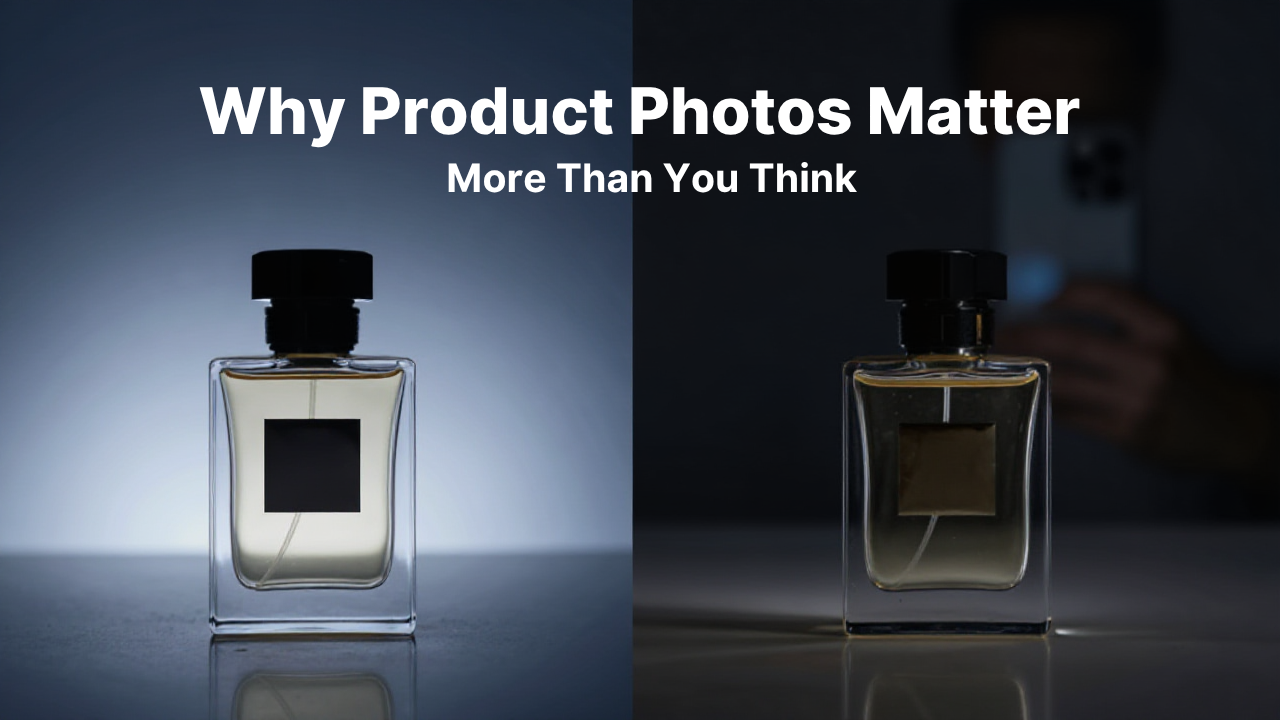
Why Product Photos Matter More Than You Think
Introduction
Imagine you're searching online for a new pair of shoes, a mobile phone cover, home décor, or kitchen appliances.
You find two businesses selling the same product at nearly the same price.
One business has bright, clear, professional-looking product photos taken from different angles. The other has blurry, poorly lit images clicked in a hurry.
Which one would you trust?
For most people, the answer is obvious.
Product photos are often the first thing customers notice when they visit your website, online catalogue, Google Business Profile, or social media page. Good photos create confidence, while poor-quality images can make even great products look unappealing.
If you want to increase enquiries and sales, investing time in better product photography is one of the smartest things you can do.
Why Product Photos Are So Important
Customers can't touch or examine products when shopping online.
Instead, they rely on images to judge:
- Product quality
- Design
- Size
- Color
- Finish
- Overall appearance
Your product photos act as a substitute for the in-store shopping experience.
The better they look, the more comfortable customers feel about contacting or buying from your business.
Good Photos Build Customer Trust
People naturally trust businesses that present their products professionally.
Clear product images show that you care about your business and pay attention to detail.
Professional photos also reduce doubts such as:
- Is this product genuine?
- What does it actually look like?
- Is the quality good?
- Can I trust this seller?
Trust is one of the biggest factors influencing online buying decisions.
Better Photos Can Increase Enquiries
Customers are more likely to ask about products they can clearly see.
Instead of wondering what a product looks like, they already have enough information to ask more meaningful questions like:
- Is this available in another color?
- Do you have this in a larger size?
- What is the delivery time?
- Can I place an order today?
This leads to faster conversations and higher-quality enquiries.
Use Multiple Images for Every Product
One image is rarely enough.
Whenever possible, include:
- Front view
- Side view
- Back view
- Close-up details
- Product in use
- Packaging (if relevant)
Showing products from different angles gives customers a better understanding of what they're buying.
Use Natural Lighting Whenever Possible
Lighting has a huge impact on image quality.
Natural daylight often produces the best results.
If shooting indoors:
- Place products near a window.
- Avoid harsh shadows.
- Use consistent lighting for all products.
Well-lit photos make colors appear more accurate and products more attractive.
Keep the Background Simple
A clean background helps customers focus on the product instead of unnecessary distractions.
Many businesses use:
- White backgrounds
- Plain-colored backdrops
- Simple wooden surfaces
- Neutral settings
Consistency across all product images creates a more professional catalogue.
Show the Product in Real-Life Situations
Lifestyle photography helps customers imagine using the product.
For example:
- A dining table set up in a home
- A handbag being carried
- A chair placed inside an office
- Kitchen appliances being used
These images provide context and make products more relatable.
Don't Mislead Customers
Avoid editing photos so heavily that they no longer represent the actual product.
Customers appreciate honesty.
Use images that accurately reflect:
- Color
- Size
- Material
- Design
Misleading photos often result in disappointed customers and negative reviews.
Optimize Images for Your Website
Large image files can slow down your website.
Before uploading product photos:
- Compress image size.
- Maintain good quality.
- Use descriptive file names.
- Add alt text for accessibility and SEO.
Optimized images improve both user experience and search engine performance.
Where Should You Use Product Photos?
Don't limit good product images to just your website.
Use them across your digital presence, including:
- Google Business Profile
- Product catalogue
- Social media
- Business website
- Online shop
- WhatsApp Business catalogue
- Digital brochures
Consistent visuals strengthen your brand and improve recognition.
Affordable Ways to Improve Product Photography
You don't need an expensive camera to take good product photos.
Many smartphones today are capable of producing excellent images.
Simple improvements include:
- Using a tripod for stability.
- Cleaning the camera lens.
- Shooting in daylight.
- Using a plain background.
- Editing brightness and contrast slightly.
Small improvements can make a noticeable difference.
Common Product Photography Mistakes
Avoid these common mistakes:
- Blurry images
- Poor lighting
- Cluttered backgrounds
- Low-resolution photos
- Inconsistent image sizes
- Only one photo per product
- Heavy editing that changes the actual product
These issues can reduce customer confidence and make your products appear less professional.
Helpful Free Tools
You can improve your product photos using these free or affordable tools:
- Canva – Add simple branding and resize images.
- Google Photos – Basic editing and organization.
- Snapseed – Professional mobile photo editing.
- Remove.bg – Remove image backgrounds easily.
- Google Drive – Store and organize product images.
These tools are beginner-friendly and work well for small businesses.
Frequently Asked Questions
Do I need a professional camera for product photography?
No. Most modern smartphones can capture high-quality product images when used with good lighting and proper composition.
Should every product have multiple photos?
Yes. Showing products from different angles helps customers understand what they're buying and builds trust.
Do product photos affect SEO?
Yes. Optimized images with descriptive file names and alt text can contribute to better website performance and improve image search visibility.
Yes. Optimized images with descriptive file names and alt text can contribute to better website performance and improve image search visibility.
Conclusion
Product photography is much more than making your catalogue look attractive—it's a powerful tool for building trust, improving customer experience, and increasing enquiries.
Clear, professional, and consistent product images help customers make informed decisions and feel more confident about choosing your business.
Whether you're selling online or simply showcasing your products, investing time in better photography is one of the easiest ways to improve your digital presence and stand out from the competition.
Why Businesses Choose Futkar
Futkar helps businesses showcase their products professionally through Pocket Websites, Online Shops, and Digital Product Catalogues. With beautifully organized product displays and easy sharing options, businesses can create a stronger online presence and make it easier for customers to discover and enquire about their products.
Ready to grow your business online?
Create your Pocket Website & Digital VCard free with Futkar.
Start Free Today